Listen to everything you meant to read.
Save an article, press play and go. Reprise reads it to you in a natural voice while you walk, drive or work out, and your list is on whichever device you pick up.
 Free on iPhone, iPad and Mac



Listen to your articles on the go.
At the gym, in the car, on your commute. Your saved articles play like a podcast, wherever you’d listen to one.
At the gym
Play, pause and skip from the Lock Screen.
In the car
Up Next and Saved, right in CarPlay.
On your commute
One article runs into the next, hands free.
Chapters
Jump straight to the part you care about.
Highlights
Keep the sentences worth remembering, and find them again later.
Your speed
Slower for something dense, faster for the news.
Saving
Save it from anywhere. Listen later.
Reprise brings in the article itself, pictures and all, and leaves the clutter behind.

On the web: ads, pop-ups and banners
In Reprise: just the article
Safari
One tap in the toolbar, no sheet to fill in.
Any app
Share a link from Mail, Messages or News.
Paste a link
Copy it anywhere, paste it in Reprise.
Import websites
Bring the sites you follow from another app.
Voices
Narrated in the voice you choose. Even your own.
Every built-in voice starts from a recording of a real person, so narration has the pauses and emphasis of someone speaking. Or record ten seconds of speech, and Reprise narrates in your voice.


23 built-in voices
Pick the one you most like listening to. Eighteen narrate in every language. German, Spanish, French, Italian and Dutch each add their own.
Bring your own
- RecordTen seconds of speech makes a voice of your own.
- ImportAdd a voice that someone shares with you.
Narration in
- English
- Deutsch
- Español
- Français
- Italiano
- Nederlands
- Português
Listening
Follow along as it reads.
The words light up as the voice reaches them, so you can glance down and find your place.

iPhone Duo
Articles laid out like a magazine.
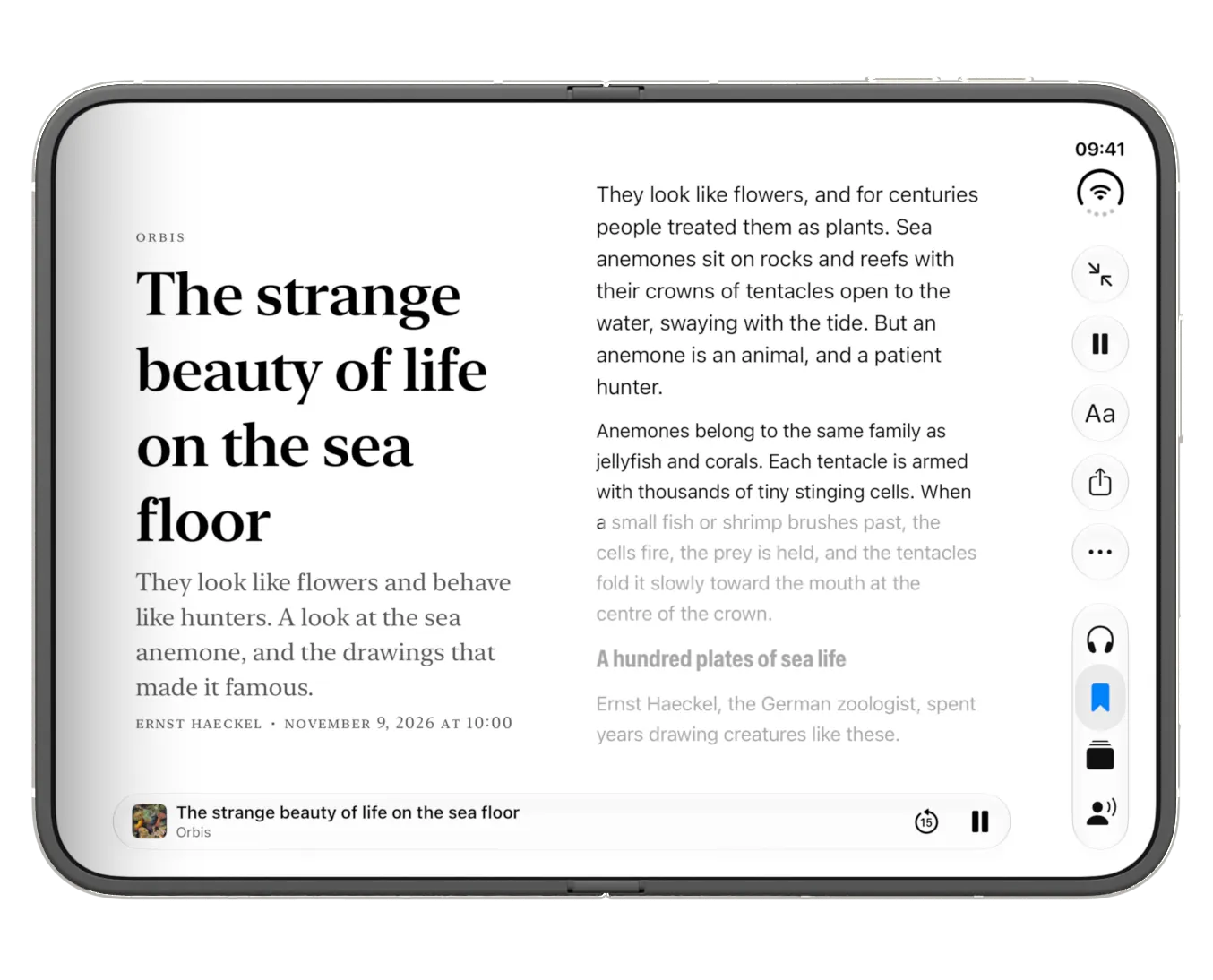
Closed, it’s your article in one hand.
Open it like a book.
Fully open, the article becomes a two-page spread. On iPad too.
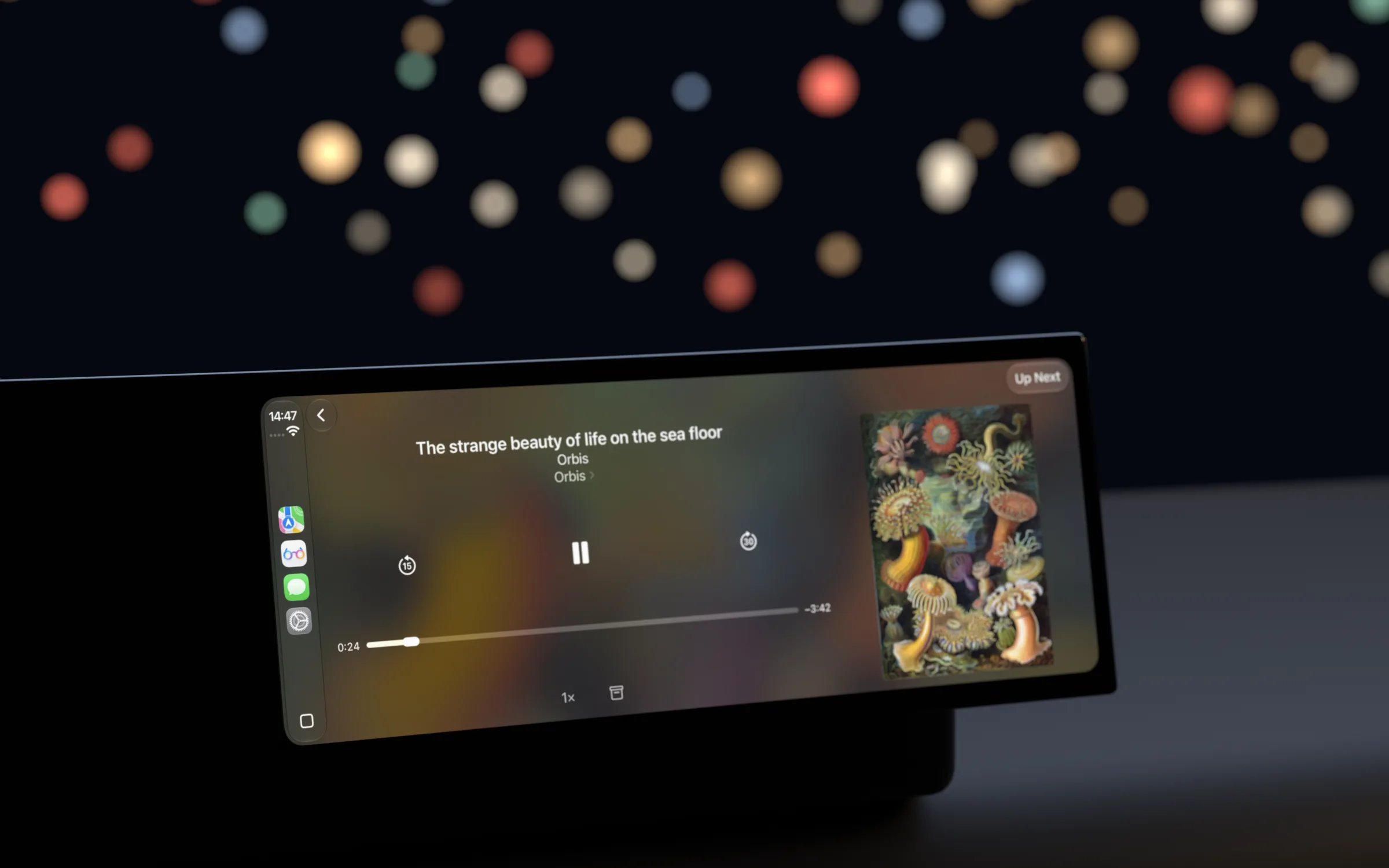
CarPlay
Finish it on the drive.
Your place follows you from your iPhone to the car and back.
New articles from the sites you follow, ready to play.
Get the latest articles from the websites you read, ready to listen to whenever you are.



Any website
Paste a website, article or feed link, and Reprise finds its stories.
Saved for you
Have a site’s new stories saved automatically, so they’re waiting in your list.
Always translate
Follow a site in another language and its stories arrive translated, narration included.
Bring your sites
Import the websites you follow from another reader in one step.
RSS and Atom
Follows any standard feed, and finds the feeds on a page for you.
OPML
Import your list from a feed reader, and export it again whenever you like.
Per-site settings
Automatic saving, translation and a voice, chosen for each site.
Everywhere
Start on your Mac. Finish on your iPhone.
Save an article on your Mac and it’s on your iPhone, with its narration, your place and your highlights. Carry on with whichever device is nearest.

Mac

iPad

iPhone Duo

iPhone
The same article, at the same sentence, on every one.
Everything syncs
Articles, narration, Up Next, the sites you follow, your voices and your highlights.
Your place, too
Stop on one device and carry on from the same sentence on another.
Your own iCloud
Your library stays in your iCloud account. There’s no Reprise account to create.
Accessibility
Listen, read, or do both.
If reading takes effort, with dyslexia, ADHD, low vision or tired eyes, Reprise narrates the article and lights up each word as it’s spoken.
Listen and read together
The words light up as they’re spoken, so your eyes always have a place to land and it’s easy to find your spot again.
At your pace
Slow down for something dense, or speed up to hold your attention. Skip back 15 seconds if your mind wandered.
Only the article
Ads, pop-ups and autoplaying video stay on the web. You get the words and the pictures, in the text size and colors you choose.
VoiceOver
Controls are labelled, and the scrubber speaks your place in the article.
Larger Text
Follows your text size, up to the largest accessibility sizes.
Increase Contrast
Text and controls get stronger contrast when you ask for it.
Reduce Motion
Animations become simple fades.
Under the hood
All narration is done on your own device.
Narration runs on the Neural Engine, the part of Apple silicon built for this work. Nothing goes to a server, so there are no hours or credits to count. Premium means listening without limits.
Speed while narrating a four-minute article in English, compared with listening to it.
A 20-minute article, ready in under a minute.
Playback starts after the first sentence, and the rest is made while you listen. Times are worked out from the speeds above.
0.38 sto the first word, on iPhone 14 Pro
1.08%of words misread, checked by transcribing the narration
3.30 / 5naturalness, as scored by UTMOSv2
Premium
Finish everything you save.
Reprise is free to download, with a listen a day. Premium takes the limit off.
Always free
- A listen a dayLock Screen, CarPlay and the built-in voices
- Saving and readingYour library, on every device
- FollowingSites and writers, new pieces as they land
- HighlightsKeep track of interesting passages you read
- Your own voiceRecord once; it narrates whole articles

Premium
A week free- Listen without limitsFinish everything you save
- Your MixThe latest from the sites you follow, in minutes
- Your own narratorsAdd voices you like; pick one for any article
- Yearly
- $39.99 a yearAfter a week free · $3.33 a month · Save 44%
- Monthly
- $5.99 a month
A reminder before the week ends
Speechify Premium is $139 a year. Compare prices
Prices in US dollars. They vary by country.
Start with one article today.
Reprise is free to download for iPhone, iPad and Mac.